How to improve TV picture quality: the hidden HDMI feature
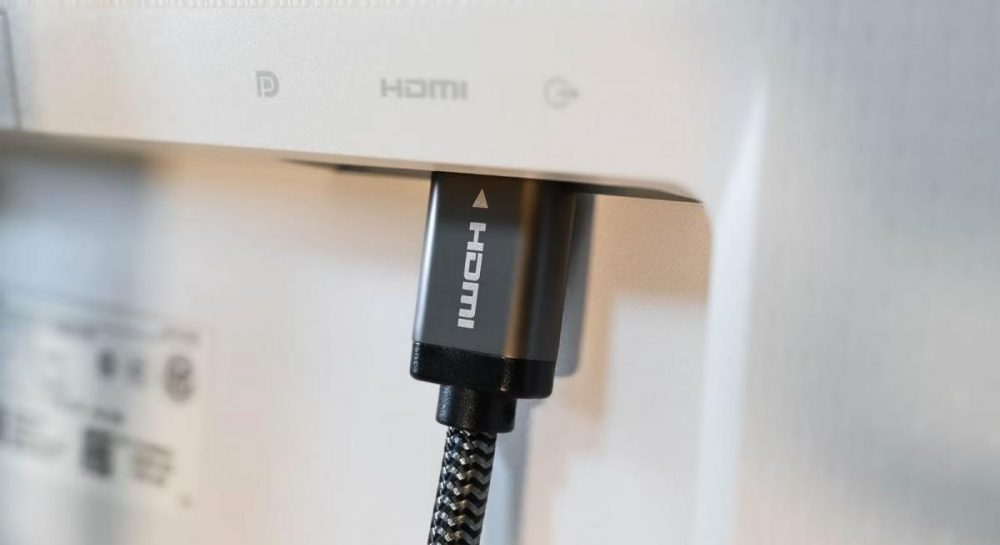
Smart TV users can significantly enhance picture quality by enabling the HDMI Deep Color feature in device settings.
 💡Tech
Photo: UNIAN
Key points
- Enabling HDMI Deep Color improves color depth
- The setting name depends on the TV manufacturer
- The feature fixes dull images in HDR content
Many modern TV owners fail to utilize the full potential of their devices due to incorrect HDMI interface settings. Even with HDR support, the image may appear dull or have a limited color palette if a specific extended range function is not enabled in the system menu.
Why it is important to check port settings
The feature, known as HDMI Deep Color, allows the transmission of a signal with a color depth of 10 or 12 bits instead of the standard 8 bits. This ensures smooth transitions between shades and increases the overall realism of the picture in movies and video games. Although this option is often enabled automatically, it sometimes remains inactive by default.
To activate it, you need to enter the TV's input settings. Note that the name of the option varies by manufacturer: for example, Samsung uses the name HDMI UHD Color, while LG uses HDMI Deep Color. Users are encouraged to check this parameter for each port individually if they notice insufficient color saturation when connecting consoles or streaming players.
Source UNIAN — unian.ua/techno/gadgets/shcho-take-hdmi-deep-color-i-chomu-cyu-funk… ↗
Read next
 ⚽Sport
PSG secures comeback victory against Nice with Ilya Zabarnyi in starting lineup
Paris Saint-Germain defeated Nice 3-2 in an 11th-round Ligue 1 clash, featuring a solid performance from Ukrainian defender Ilya Zabarnyi.
 💼Economy
Paolo Bulgari passes away: the legacy of a legendary jeweler
Paolo Bulgari, the long-time leader of the iconic jewelry house, has died in Rome at the age of 89, leaving behind a legacy of global luxury.
 💼Economy
Microplastics in water found to be chemically active: new research findings
Research from Columbia University reveals that microplastics can trigger dangerous chemical reactions upon contact with water.
 🛡️Security
Moldovan airspace breached again by drones during attack on Ukraine
On Saturday, November 21, a jet-powered UAV crossed the Moldovan border twice amid Russian strikes on Ukraine.
 👥Society
White crows spotted in the capital: mystical beliefs and scientific perspective
Rare white crows have been spotted in Kyiv, sparking a wave of discussion regarding the symbolism of this event during the war.
 🏛️Politics
Zelenskyy on security guarantees: Ukraine seeks full NATO membership
President Volodymyr Zelenskyy stated that security guarantees mimicking NATO's Article 5 are insufficient to ensure Ukraine's long-term safety.